
Download Video Playback APK – video player, free video player, mp4 player, 3gp player, android video app
Overview
Video Playback is a lightweight Android application designed to simplify the process of watching videos directly from a user’s device. Developed by AdeSoftware, the app focuses on delivering a straightforward experience for playing video files in widely used formats such as MP4 and 3GP. It is tailored for casual users and mobile viewers who seek a no-frills solution for accessing their personal video collections without the need for complex configurations or additional codecs.
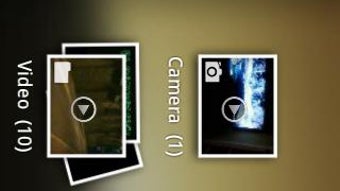
The app automatically scans and organizes video files stored on the device, eliminating the need for manual file searching. This feature is particularly beneficial for users with large media libraries who want quick access to their content. By supporting common video formats, Video Playback ensures compatibility with most video recordings captured on smartphones or downloaded from various sources.
While the app is free to use, it includes ad playback, which may affect the viewing experience for some users. However, this monetization model allows the developer to maintain and update the app without charging users. The app is available on the Google Play Store, making it easily accessible to Android users seeking a basic yet functional video player.
Key Features & Capabilities
- Format Compatibility – Supports playback of MP4 and 3GP video files, two of the most common formats used on Android devices.
- Automatic Media Detection – Scans the device’s storage to identify and organize all video files, enabling quick access without manual folder navigation.
- Playlist Creation – Allows users to group videos into custom playlists for seamless playback and better media management.
- Playback Controls – Offers adjustable playback speed, volume control, and brightness settings to enhance viewing comfort.
- Ad-Supported Model – Free access to the app is provided through in-app advertisements, which may interrupt playback at times.
These features make Video Playback a practical tool for users who want a simple, plug-and-play video experience. The automatic detection system helps users avoid the hassle of locating videos across multiple folders. The ability to adjust playback speed is useful for educational content or fast-forwarding through repetitive segments. Brightness and volume controls allow for better customization based on viewing environments, such as low-light rooms or noisy public spaces.
User Interface, Workflow & Performance
The app features a clean and minimal interface designed for ease of navigation. The main screen displays a list of detected videos, organized by file name or date, depending on the default sorting option. Navigation is intuitive, with clear icons and labels that guide users through playback and settings.
Workflow efficiency is enhanced by the automatic media scan, which reduces setup time. Once installed, users can begin playing videos immediately without additional configuration. The playback screen includes standard controls such as play/pause, seek bar, and volume/brightness sliders, all positioned for easy access during viewing.
The developer did not specify resource usage details. Performance observations are based on general software behavior patterns. The app’s small file size of 1.4 MB suggests it is optimized for low-resource environments. However, exact CPU and RAM behavior during playback were not disclosed.
Compatibility & System Requirements
Video Playback is designed for Android devices and is compatible with the latest Android operating systems. The app supports Android 5.0 and above, ensuring broad accessibility across a wide range of smartphones and tablets.
The installation size is 1.4 MB, indicating a lightweight footprint that does not consume significant storage space. The developer did not provide additional system requirements or hardware specifications. Exact system requirements were not listed, and compatibility information was partially provided.
Pros and Cons
Pros
- Free to download and use with no hidden costs
- Supports common video formats including MP4 and 3GP
- Automatic detection and organization of video files
- Simple, user-friendly interface suitable for beginners
- Custom playlist creation for better media management
Cons
- Ad-supported model may interrupt playback
- Limited customization options compared to advanced video players
- Exact performance and resource usage details were not specified
- May not support newer or less common video codecs
FAQ Section
Is Video Playback available for free on the Google Play Store?
Yes, Video Playback is available for free on the Google Play Store. The app is monetized through in-app advertisements.
What video formats does the app support?
The app supports MP4 and 3GP video formats, which are widely used on Android devices.
Can I create custom playlists with Video Playback?
Yes, users can create and manage custom playlists to group their favorite videos for easy access.
Does the app require internet access to play videos?
No, Video Playback can play videos offline. The app accesses files stored locally on the device.
How often are updates released for Video Playback?
Update frequency is not specified by the developer. Users are encouraged to check the Google Play Store for the latest version.
Final Thoughts
Video Playback offers a straightforward and accessible solution for Android users who need a reliable tool to watch MP4 and 3GP videos without complications. Its automatic media detection, simple interface, and playlist functionality make it a solid choice for everyday use. While the ad-supported model may be a drawback for some, it remains a fair trade-off for a free app with minimal system demands.
For users seeking a lightweight, no-cost video player that works out of the box, Video Playback delivers on its core promise. It’s particularly well-suited for casual viewers, students, and individuals with large local video libraries who want quick access without the complexity of advanced media software.
Download Video Playback now





.png)

